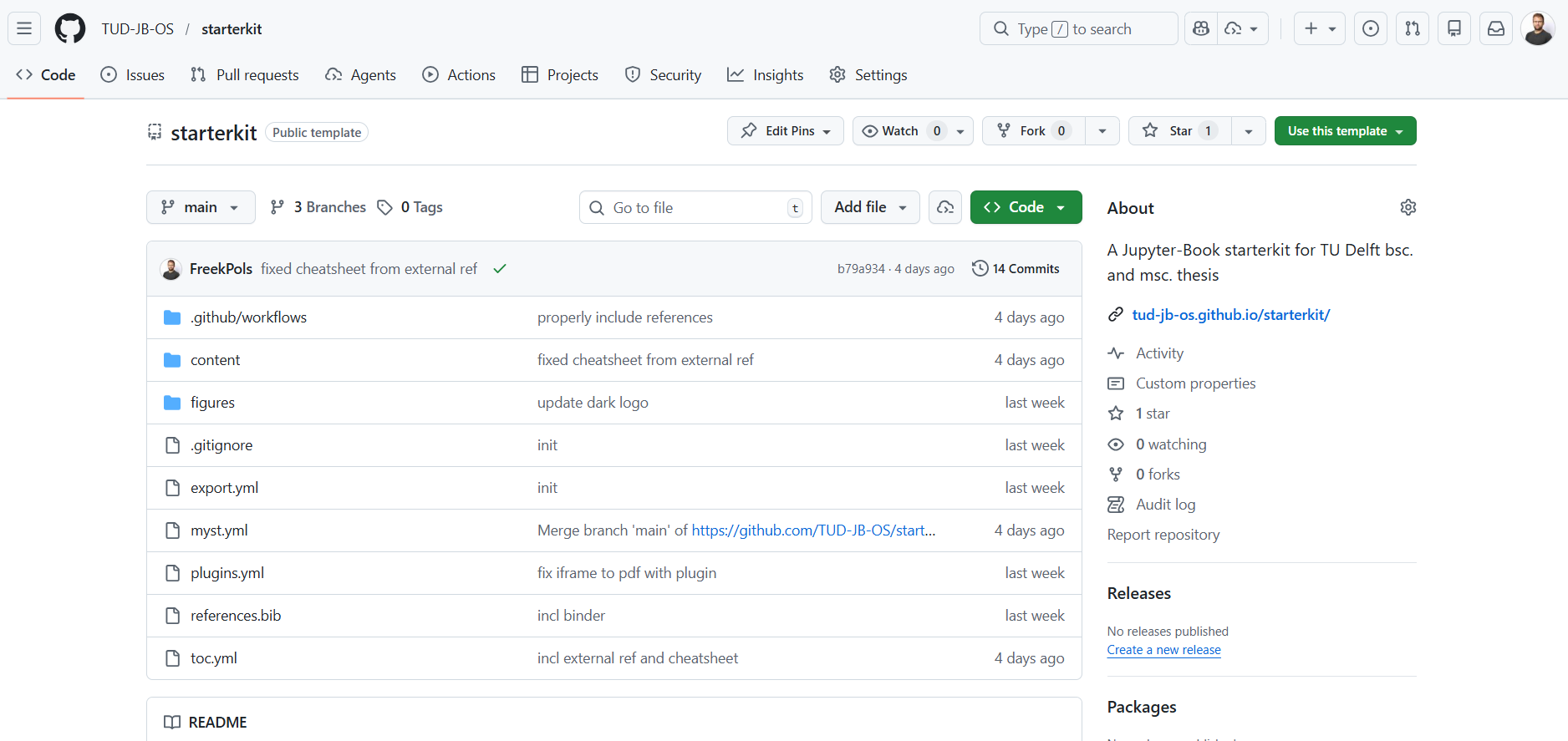
The instructions on this page guide you through the process of making your own book by creating a (new) GitHub repository from the starterkit template repository.
More information on the working with Jupyter Book can be found in The TUD guide to open publishing with JupyterBook or the official Jupyter Book documentation.
Create a repository
Follow these instruction to use the GitHub template repository to create your own thesis repository.:
Go to the starterkit repository
Click the green button
use this templateand clickcreate a new repository.Choose a proper name of your repository (this will be also part of your URL!) and choose the option
public.In your repository, click on
settingsand in the left menu on Pages and chooseGithub Actions
Figure 1:Follow these steps to create your own repository from the template.
Click on
codeand click on ⚙ (thegear-iconnear About) at the right site of the page.Check the box Use your GitHub Pages website.
Go to
Actionsin the top menu, click on the (red)initial commitand clickre-run all jobs
The book will now be deployed again - where now it can actually load GitHub pages.
Figure 2:Follow these steps to create your own GH Pages site from the template.
View your thesis online
The previous steps set up your repository with GitHub Pages using a GitHub Actions workflow. That action automatically builds your book (a website) and deploys it online. The URL of your book is based on your GitHub username:
https://USERNAME.github.io/<reponame>You can also find the link easily from you GitHub repository home page under the “About” section on the right-hand side (illustrated in Figure 3).
You also have automatically two pdf’s based on a LaTeX thesis and Typst thesis template. Two buttons can be found at the top right corner to inspect these pdf’s.